
All the FX. One window.
Everything you’d reach for, in one place — composable, stackable, real-time. 91 effects across nine families, 36 of them free. And one family that does what nothing else can: it works in the depth of a flat image.
Adjust
The fundamentals, done properly. Exposure, levels, curves, sharpen, blur.
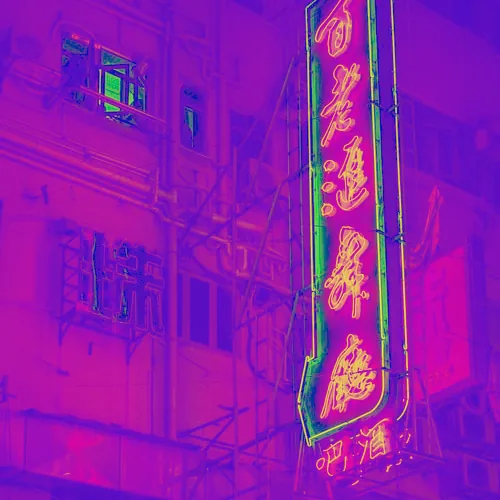
Brightness/Contrast
The classic combined tonal adjustment, with a movable pivot.
Brightness is an additive shift; contrast scales around a pivot you can drag toward shadows or highlights.
Exposure
Brighten or darken in real photographic stops.
Multiplicative like a camera — each stop is a factor of two, +1 doubles the light, -1 halves it.
HSV
Rotate hue, push saturation, lift or drop value.
Standard HSV colour-space adjustment; hue rotates a full ±180°, saturation and value scale multiplicatively.
Gamma
Bend the midtones brighter or darker without touching the ends.
A power-curve tonal response, per-channel selectable to match Levels — below 1 darkens mids, above 1 lifts them.
ChannelRGB · Luma · Red · Green · Blue
Sharpen
Crisp up detail without amplifying flat-area noise.
Unsharp mask — subtract a blur, add the scaled difference back, with a threshold that protects flat regions from noise gain.
Blur
A clean, true softening, smooth at any radius.
A real two-pass separable Gaussian on the compute engine — no blockiness or aliasing as the radius grows.
ModeBox · Gaussian
Saturation
Add colour intensity, gently or hard.
Standard saturation plus Vibrance, which protects already-saturated colours and skin tones from over-cooking.
Invert
Flip tones, all channels or one, at any strength.
Channel-selective tonal inversion with a strength control for partial blends.
ChannelRGB · Luma · Red · Green · Blue
Auto Contrast
One-tap full-range normalisation.
A two-pass compute effect — pass one scans the image for peak brightness, pass two stretches every pixel to use the full range.
Levels
Set black point, white point and gamma by hand.
The foundational tonal tool — remap the input range per channel, cheap and visibly powerful.
ChannelRGB · Luma · Red · Green · Blue
Curves
The flagship tonal control: drag the curve, remap the tone.
An interactive control-point editor baked to a 256-entry monotone-cubic LUT at render time.
ChannelMaster · Red · Green · Blue
Motion Blur
A directional streak, as if the camera moved.
N taps marched symmetrically along an angle — the directional companion to the isotropic Gaussian blur.
Degrade
Break it down. Dithers, halftones, CMYK screens, posterize, pixelate — down to Game Boy, PICO-8 and C64 palettes.
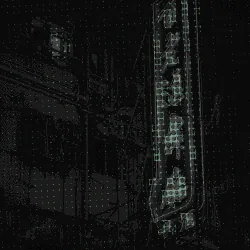
Dither
Ordered dithering down to real console palettes.
Selectable Bayer / blue-noise threshold masks plus named palettes — Game Boy, PICO-8, CGA, EGA, NES, C64 — quantising toward the nearest palette colour.
MaskBayer 2x2 · Bayer 4x4 · Bayer 8x8 · Blue Noise · Pattern
PaletteMono · Game Boy · GB Pocket · PICO-8 · CGA · EGA · NES · C64 · Amiga 500 · ZX Spectrum · Green Phosphor · Amber Phosphor · Teletext · Apple II · MSX · Virtual Boy · Custom
PlanesOff · Near + Far · Near · Mid · Far
PaletteMono · Game Boy · GB Pocket · PICO-8 · CGA · EGA · NES · C64 · Amiga 500 · ZX Spectrum · Green Phosphor · Amber Phosphor · Teletext · Apple II · MSX · Virtual Boy · Custom
PaletteMono · Game Boy · GB Pocket · PICO-8 · CGA · EGA · NES · C64 · Amiga 500 · ZX Spectrum · Green Phosphor · Amber Phosphor · Teletext · Apple II · MSX · Virtual Boy · Custom
Halftone
The single-screen print-dot look.
An angled screen of dots whose size tracks tone, with selectable cell size, angle and dot shape.
ShapeDot · Line · Cross · Square
Posterize
Crush the tonal range into flat steps.
Quantises each channel to a set number of levels — so Levels counts values per channel, not colours. Flat tones switches it to quantise brightness and keep the hue, where Levels genuinely is the number of tones. Step Bias moves where the bands fall without changing overall brightness.
Pixelate
Blocky, low-res down-sampling.
Averages the image into fixed cells, square or shaped — the classic mosaic.
ShapeSquare · Wide · Tall
Threshold
Hard two-tone cut to black and white.
Splits the image at a level into dark and light, with an adjustable softness on the edge and choosable two colours.
MethodGlobal · Adaptive Mean · Sauvola
Error Dither
Organic, grain-like diffusion dithering.
True sequential Floyd–Steinberg / Atkinson error propagation in compute — quantise per pixel, push the error to unprocessed neighbours in scan order.
AlgorithmFloyd-Steinberg · Atkinson · Sierra · Sierra Lite · Stucki · Jarvis-Judice-Ninke · Burkes · Ostromoukhov · Riemersma · Drip · Comb · Bend
PlanesOff · Near + Far · Near · Mid · Far
AlgorithmFloyd-Steinberg · Atkinson · Sierra · Sierra Lite · Stucki · Jarvis-Judice-Ninke · Burkes · Ostromoukhov
AlgorithmFloyd-Steinberg · Atkinson · Sierra · Sierra Lite · Stucki · Jarvis-Judice-Ninke · Burkes · Ostromoukhov
CMYK Halftone✦
True four-colour process halftone — print, not a print filter.
Real CMYK separation, four screens at the traditional C15/M75/Y0/K45 angles, subtractive ink-on-paper recompose with misregistration. No named competitor does this.
Dot ShapeDot · Square
Distort
Bend, warp and grow the image. Displace, kaleidoscope, drift, long-exposure, reaction-diffusion — a gentle push to living generative systems.
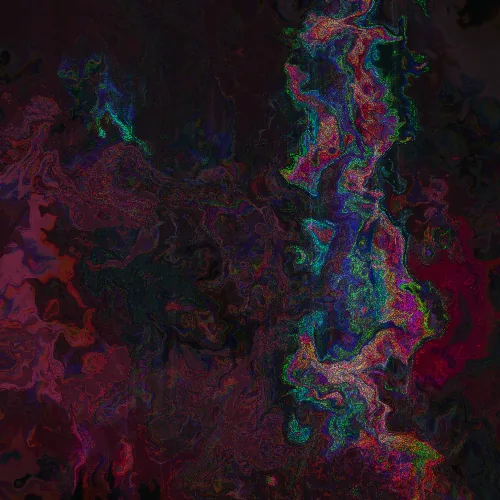
Carriage
Drag a hand scanner across the image.
A scanner builds a picture one line at a time and assumes the sensor moves at a constant speed. Vary that speed and the image stretches, compresses, and repeats where the carriage backs up.
ScanVertical · Horizontal
Leak FromTip-led · Left · Right
Edges
Outline the image for line-art and blueprint looks.
Three classical detectors — Sobel (smooth), Roberts (sharp/aliased), Laplacian (fine etched), with ink/paper recolour.
AlgorithmSobel · Roberts · Laplacian
ColourMono · Source · Heat
Pattern
Generate camo, lattices and cells that read the picture.
Seven generators — noise fields, camouflage stamps, lattices, Voronoi cells, quadtree subdivision, flow strokes and contour lines. Cell size and stamp scale follow depth, tone or detail, so the pattern crowds up close and opens out into the distance. Fill the shapes or stroke their edges; the negative space shows the photograph or a flat colour.
ModeNoise · Camo · Grid · Voronoi · Quadtree · Flow · Contour
ShapeBlob · Tech · Tiger · V3KTR · Custom
LatticeSquare · Hex · Triangle · Graph · Dots · Crosses · Hatch
RenderFill · Stroke
AdaptOff · Tone · Depth · Detail
Adapt ModeDensity · Size
FollowOff · Tone · Depth
InterpolationRGB · OKLCH
Reaction
Grow Turing patterns — spots, stripes, mazes — out of the image.
A Gray–Scott reaction-diffusion simulation seeded by the picture; curated F/K presets pick the known-good pattern regimes.
PresetSpots · Stripes · Worms · Mitosis · Coral · Chaos · Manual
SeedNoise · Image · Image + Noise · Image Trace
RenderB (clean) · A (clean) · B tinted · Image*B · Image*A · Ink · Ink (inv)
Displace
Push pixels around with smooth noise.
Noise-field displacement of the sampling position, by amount, frequency, angle and axis.
ModeWaves · Push · Turbulence · Field
Range1× · 2× · 4× · 8×
AxisHoriz · Vert · Both
Freq Mod
Hard line-screen and frequency-modulation patterning.
Carrier/modulator frequency-modulation that re-renders the image as modulated line density and width.
ModeDisplace · Intensity · Lines
Kaleidoscope
Mirror the frame into radial symmetry.
Segmented angular mirroring around a movable centre, with zoom and per-axis mirror.
ModeMirror · Kaleido · Tile
Drift Smear
Colour smeared along invisible currents, like slow flow.
~20 taps accumulated along a curl-noise direction field — fluid, not blur and not glitch; colour lags behind its position.
Long Exposure
Light-trails and motion accumulation on a still.
Bright-weighted accumulation along a path (directional / radial / flow) — light persists in the trail, darks barely register.
ModeDirectional · Stream · Scrawl · Shake
Machine
Re-draw the image as pen-plotter marks.
Hatch / flow / contour / circuit toolpath styles — line density follows tone, direction can follow image gradients.
ModeHatch · Flow · Contour · Circuit · Weave
Slicer
The image redrawn as 3D-print cross-sections.
Posterise into tonal regions, wall each with concentric perimeter rings, fill the interior with a selectable infill pattern.
InfillNone · Lines · Grid · Triangle · Hex · Concentric · Zigzag
Solvent
A wet, melting, dissolving smear.
A directional flow that blends gravity-style dripping with form-following runs — reads as "did this get wet?" rather than a known filter.
Aniso Kuwahara
Painterly flattening that follows the image's structure.
Structure-tensor-guided anisotropic Kuwahara — an oriented elliptical neighbourhood splits into sectors; the lowest-variance sector wins, abstracting detail along the flow.
Domain Warp
Irreducible marbled, organic distortion.
Recursive fbm domain warping (Quilez f(p+h(p))) displacing the sampling field — high complexity for low cost, with dispersion.
Organic Growth
Dendritic coral / frost branching grown from the image.
Diffusion-limited-aggregation on feedback buffers, seeded from image structure — empty cells stick with a tip-biased probability.
SeedBright · Edges · Noise
Lenia
A breathing, alive cellular membrane.
Continuous cellular automata — a ring kernel and Gaussian growth function on feedback buffers, seeded from the image, with a discrete Conway-style fallback.
ModeLenia (continuous) · Classic (discrete)
RenderMono · Tinted · Image*Life
Physarum✦
Grow a slime-mould network that feeds on the picture.
The Jones agent model, run for real: up to 262,000 agents each sense the trail ahead at three probes, turn toward the strongest, move and deposit — while the trail diffuses and decays every step. The image is the food map, so a different photograph grows a different network, not just a different colour.
FoodBright · Dark · Edges · None
SnapOff · 90° · 60° · 45° · 30°
RenderInk · Ink (inv) · Tinted · Image Ink · Etch · Glow
Liquid
Smear the image as dye through a flow field.
Iterative dye advection on a fixed sim grid — the image is carried through one of seven velocity fields (including a baked depth-tangent flow) over up to 400 steps, in rgba16float so the repeated bilinear resampling doesn't posterise the smear.
FieldTurbulence · Curl Flow · Vortex · Wind · Explode · Gravity · Field Channel
Range1× · 2× · 4× · 8×
Image
Bring another image into the stack and place it.
Composites a source — your base image or an imported one — with position, scale and angle, held at its own aspect; it outputs coverage alpha, so the layer's blend and mix treat it like any other effect.
SourceBase image · New image
Transform
Move, scale, rotate, or skew the whole frame — with Position X/Y and a projective corner-pin.
A 3×3 homography built about the image centre, inverse-warped per pixel, driven by a movable canvas-centre handle and camera-move presets; edges reveal as transparent, mirror, or clamp.
HandlesFrame · Image
EdgesTransparent · Mirror · Clamp
Colour
Grade, tone, recolour. Duotone, gradient map, split-tone, solarize, risograph.
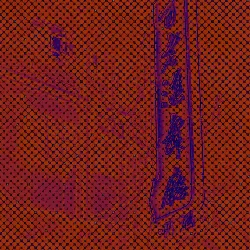
Duotone
Map the tonal range across two (or three) colours.
Shadow/highlight (optionally midtone) colour mapping with selectable interpolation — OKLCH-capable for even blends.
InterpolationRGB · OKLCH
Film Grade
Twenty curated colour looks from one grade engine.
LUT-style treatments — Teal & Orange, Bleach Bypass, Silver Noir, Cyanotype and the rest — computed live, no baked tables.
LookTeal & Orange · Golden Hour · Chrome Slide · Tungsten Neg · Faded Print · Cross Process · Bleach Bypass · Silver Noir · Sepia Silver · Cyanotype · Bronze Crush · Deep Crimson · Magenta Dawn · Neon Night · Arctic Blue · Emerald Shadow · Olive Field · Moss & Cream · Pastel Wash · Milk Haze
Gradient Map
Remap tone through a full gradient ramp.
The luminance drives a position along an editable multi-stop gradient, baked to a LUT, with presets.
InterpolationRGB · OKLCH
Solarize
The darkroom tone-inversion effect.
Inverts tones above a threshold — Hard for an abrupt graphic flip, Smooth for the gentle Sabattier bell-curve inversion.
ModeHard · Smooth
ChannelLuma · RGB
Split Tone
Tint shadows one way, highlights another, keep the luma.
The colourist's shadow/highlight tinting with a movable pivot and preserve-luma — it grades, it doesn't replace.
Risograph
Limited spot-ink riso print, mis-registration and all.
Luminance-separated into 2–3 inks, each screened at its own angle with mottled grain, multiplied over tinted paper.
Inks2 inks · 3 inks
PlanesOff · Ink Per Plane
Signal
Analog truth. VHS, NTSC, scanlines, film grain on real stocks, and a deep Display engine: CRT shadow-masks down to the Trinitron damper wires.
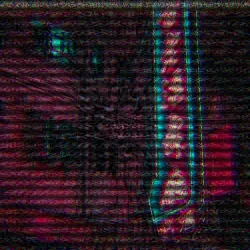
Scanlines
CRT scanline raster and vignette.
Frequency/depth scanline modulation with an optional CRT-style vignette.
Analog
VHS, NTSC and broadcast-format artifacts.
Format-accurate signal simulation — chroma bleed/bandwidth, signal noise, distortion and scanlines, by mode.
ModeVHS · NTSC
Display
A deep display engine: eight devices, modelled to the hardware.
Palette → subpixel/cell mask → grid/gutter → glow → curvature/convergence pipeline — real CRT shadow-masks down to the Trinitron damper wires, LED, LCD and more.
DeviceGame Boy · CRT · Phosphor · Composite · TFT / LCD · LED Board · Projector · Plasma
ModelDMG (green) · Pocket (grey) · Color (GBC)
MaskShadow · Aperture-grille · Slot
PhosphorP1 Green · P3 Amber · White
MachineNES · C64 · Apple II
LED ColourAmber · Red · RGB
Grain
Real film and sensor grain that responds to tone.
Tonally-responsive grain (strongest in the midtones, a 4·L·(1−L) curve) across film/digital/dust modes, with size, chroma and seed.
ModeFilm · Digital · Dust & Scratches · Tri-X 400 · HP5 400 · Delta 3200 · Portra 400 · Portra 800 · Ektachrome · Velvia 50 · Superia 400 · Gold 200 · Cinestill 500T
Hardware
Real hardware breaking — a magnet on the tube, a failing panel, a dying cable.
Each device is simulated by its mechanism, not its appearance: a magnet warping CRT convergence, a stuck-driver LCD, an HDMI link failing, and generation loss — the photocopy-of-a-photocopy — with an optional dead colour channel.
DeviceMagnet · Driver Fault · Link Fault · Generation Loss
Dead ChannelNone · Red · Green · Blue
Apply ToWhole Image · Edges · Flats
Scan Processor
A 1973 scan processor, driven by depth.
Bends every scan line into a 3D relief by deflecting it along luminance or the depth map — the Rutt/Etra technique — with the space between lines left black, filled with the image, or punched transparent.
Deflect ByLuminance · Depth
Between LinesBlack · Image · Transparent
Line ColourSource · Phosphor
Glitch
And mean it. Real databending, pixel-sort, channel glitch, and true DCT compression — actual JPEG math, not a fake.
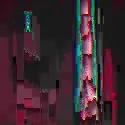
Chromatic Ab.
A clean optical RGB fringe.
Symmetric channel spread along an axis with radial falloff — lens-style, not corruption.
Pixel Sort
Sorted pixel streaks within tonal spans.
A true per-span insertion sort along rows or columns, bounded by luma thresholds — the real sort, not a smear.
DirectionHorizontal · Vertical
Sort ByLuma · Brightness · Hue · Saturation · Red · Green · Blue
Scan Glitch
Broadcast-error band slipping and tearing.
Horizontal bands slip sideways with RGB channel tears, rare sync-tears, and bright corruption noise rows.
Databend
Datamosh-style buffer corruption.
Block-aligned corruption — macroblocks smear, colour-tear (channel byte-shift), or collapse to a flat DC block, with optional quantize banding.
ModeBlocks · Bitplane · Bit-shift · Header-skew · Channel-split · Byte-swap
Displace Tear
Hard structural slab and block tearing.
Slice / block / row displacement with wrap-or-clamp seams and optional per-segment channel recolour — structural, not noise.
ModeSlice · Block · Row
Apply ToWhole Image · Edges · Flats
Signal Break
A fully broken transmission.
Layered sync tear, frozen roll bar, RF multipath ghosts, tape dropout, head-switch noise and SNR collapse to snow (roll is a single honest frozen frame).
Apply ToWhole Image · Edges · Flats
Melt
An honest melt / smear on one still.
Iterative backward advection on feedback buffers — seed, advect along a flow field with colour-bleed and decay, render. Internal iteration, not cross-frame datamosh.
FlowUniform · Luma · Noise
Compression✦
Real JPEG compression pushed until it breaks — the look from the math.
A true 8×8 DCT pipeline — RGB→YCbCr, forward DCT, quantise against real JPEG tables scaled by quality, inverse DCT, with selectable chroma subsampling and ringing. Real artifacts, because it's real compression.
Colour Detail4:4:4 · 4:2:2 · 4:2:0
Image as Audio
The "ran it through Audacity" look.
Flatten the image row-major into a 1-D stream and apply audio filters — echo, amplify with overflow-wrap (the wrap is what tears colour), reverse, fade.
ModeEcho · Amplify · Reverse · Fade
Depth Shatter
Break the image into depth-based shards.
Displaces the layer by an amplified, noisy depth gradient — stack it after a mark FX like ASCII to scatter the marks; chroma splits the channels and edge-focus concentrates the break on depth discontinuities.
Moiré
Overlapping-grid shimmer and interference.
Rotated line, dot, or wave gratings beat into moiré patterns; the image can modulate their frequency and phase so the interference bends around the picture.
GratingLines · Dots · Waves · Rings
Pixel Stretch
Stretch pixels into long streaks.
A slit-scan pull — pixels are dragged from a movable source line along an axis, with a luminance threshold gating which regions streak.
DirectionRight · Left · Down · Up
Type
Turn the image into characters. ASCII, block mosaic, box art, half-block.
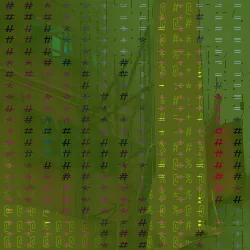
Block Mosaic
The image in Unicode block characters.
Font-atlas cell rendering tuned for an orthogonal geometric look — square cells, curated block ramps, ink/paper colour.
StyleSteps · Eighths · Quadrants · Vertical
ColourMono · Source · Duo · ANSI
ASCII
Classic text-art, your own charset or one of the built-in ramps.
Per-cell luminance mapped to a character ramp via the font atlas, with cell aspect, colour modes (mono → ANSI-16) and custom charsets.
CharsetStd · Block · Min · Round · Dense · Bars · Dots · Shapes · Matrix · Dice · Han · Hangul · Devanagari · Ethiopic · Custom
ColourMono · Source · Duo · ANSI
PlanesOff · Near + Far · Near · Mid · Far
CharsetStd · Block · Min · Round · Dense · Bars · Dots · Shapes · Matrix · Dice · Han · Hangul · Devanagari · Ethiopic · Custom
CharsetStd · Block · Min · Round · Dense · Bars · Dots · Shapes · Matrix · Dice · Han · Hangul · Devanagari · Ethiopic · Custom
StripesOff · Rows · Columns · Checker
CharsetStd · Block · Min · Round · Dense · Bars · Dots · Shapes · Matrix · Dice · Han · Hangul · Devanagari · Ethiopic · Custom
Box Art
Schematic / blueprint, drawn in box-drawing glyphs.
Per-cell Sobel gradient classified into edge categories (horizontal, vertical, corner, diagonal) and matched to the box character that fits.
ColourMono · Source
Half-Block
Two colours per cell — the BBS-era ANSI art trick.
Renders an upper-half-block per cell, sampling top and bottom halves for fg/bg colours — doubles vertical resolution over ASCII.
PaletteSource · ANSI 16
Braille
The image as a field of raised braille dots.
A 2×4 ordered dither decides which dots in each cell light, each drawn as a round dot with a gap — the braille lattice itself, not a font.
ColourMono · Source
Light
Bloom, anamorphic and star flares, glow, freelens, relighting, vignette.
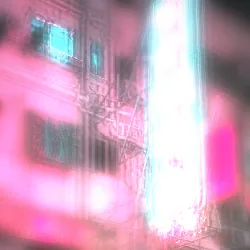
Bloom
Bright highlights spread and bleed.
Threshold-gate the bright pixels and spread them by radius and intensity — the classic bright-bleed.
Anamorphic Flare
A long horizontal cinematic lens streak.
Threshold-gated highlights sampled along a directional axis with gaussian falloff and a tint — the anamorphic-lens streak, angle-rotatable.
Star Flare
Cross / star rays from highlights.
The same directional sampling at N angles at once — 4 for a cross, 6 for a hex star, 8 for a burst.
Ray Count4 · 6 · 8 · 12
Glow
A soft, ethereal halo.
A denser radial multi-tap than Bloom — larger radius, gentler falloff, no ringing — an aura rather than a spread.
Freelens
The lens-whacking light-leak and tilted-focus look.
A tilted focus plane plus a warm light leak that refracts relative to a virtual light source — a recognisable free-lensing optical character with a haze lift.
Relight✦
Move the light after the shot — real form, real texture.
Surface picks the heightfield: Depth for the picture's real 3D form, Luminance for fine surface texture (the classic emboss), or Both — the default — with the luma's detail riding on the depth's shape. Normals by true per-UV derivatives, then a movable light with cavity AO, specular sheen, and a ray-marched cast shadow in honest units: lower the light, longer the shadow.
SurfaceDepth · Luminance · Both
Vignette
Darken (or colour) the frame edges.
Aspect-aware roundness blending a frame-following ellipse and a circle, toward a chosen colour — not just a darken.
Glass
Warp the image through textured glass.
Bends the layer beneath through the depth relief like a glass sheet, with a self-frost, a fresnel sheen, and a chromatic split.
Reskin
Coat the subject in chrome or liquid metal.
Reflects a procedural studio environment off the depth-normal — chrome, iridescent, or liquid metal wrapping the form (reflection, not lighting, is what reads as 3D).
MaterialChrome · Iridescent · Liquid Metal
Depth ✦
The depth family. Z-Depth, Depth Slice, atmospheric haze, depth grade, depth fog, shaped-bokeh DOF, and a real 3D point cloud. Effects that read the depth in your flat frame and work inside it.
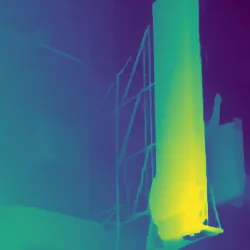
Z-Depth
See the inferred depth itself, styled.
Renders the content-aware depth channel — false-colour ramp, topographic iso-contours, or parallax displacement. The depth is inferred once per image, in the browser, and cached for every depth effect to share.
StyleFalse Colour · Contours · Displace
InterpolationRGB · OKLCH
Depth Slice
A cutaway cross-section through the image.
A movable slice plane cuts away the near material to a solid fill face, with 3D-print layer lines behind and anti-aliased edges.
StyleCross-Section · False Colour
InterpolationRGB · OKLCH
Depth Scan
A luminous sci-fi scanner band at a depth plane.
A patterned glow band sits at a depth position and screen-blends over the image, leaving it intact (distinct from Slice, which cuts away).
PatternScanlines · Dot Grid · Solid
Atmospheric
Sunlit aerial haze and light through air.
Contrast and saturation fall off with distance, plus a screen-space sun with warm/cool inscatter and optional crepuscular shafts — light travelling through air, not a flat veil.
MethodAerial · Rayleigh · Mie
Depth Grade
Warm the near, cool the far — grading by distance.
A depth-driven split-tone (near tone / far tone), luma-preserving, with adjustable balance and falloff.
MethodOverlay · Multiply · Screen · Colour Balance
Depth Fog
Distance-driven volumetric atmosphere.
A falloff curve plus a ground-fog vertical gradient and frozen turbulence wisps — depth-driven, honest about being a still.
FalloffLinear · Exponential · Exp²
Depth DOF✦
A real lens: focus that falls where the depth actually is.
A per-pixel circle of confusion from inferred depth, gathered through a configurable aperture — polygonal blades, catadioptric or anamorphic bokeh, highlight-weighted. Competitors fake focus with a flat radial mask; this uses the real depth.
Depth AO
Soft shadows in the depth crevices.
Screen-space ambient occlusion from the inferred depth: a golden-angle ring of depth taps darkens contact points and crevices where the surface curves away.
MethodDepth Difference · Horizon (HBAO) · Curvature
Point Cloud✦
Rebuild the image as floating 3D dots.
Lifts every pixel into a real 3D point cloud with true depth-buffer occlusion — billboarded splats pushed in Z, a frontal camera, procedural scatter fields, and a top-down key light.
ShapeSquare · Round · Soft · Sphere · Digits · Fused
Size FromUniform · Tone · Depth
Range1× · 2× · 4× · 6× · 10× · 16×
FillOff · Mirror 2× · Mirror 3×
FieldTurbulence · Curl Flow · Vortex · Wind · Explode · Gravity · Field Channel
Sort AxisVertical · Horizontal · Depth
Sort TonesBright · Dark
MaterialClay · Pearl · Brushed Metal · Liquid Metal
EnvironmentStudio · Image · Horizon
Metaball✦
Melt the image into fused, connected 3D blobs.
Scatters the depth points into a volumetric density field and raymarches the isosurface — each point stamps a soft falloff into a 3D texture, capsule connectors link neighbours across distance, and a second march adds cast shadows and ambient occlusion. Sphere Size, Melt and Connect Distance drive how the blobs swell, fuse and reach.
Range1× · 2× · 4× · 6×
FieldTurbulence · Curl Flow · Radial · Wind · Gravity · Vortex
MaterialClay · Pearl · Brushed Metal · Liquid Metal
EnvironmentStudio · Image · Horizon
Depth Zoom
Zoom and push into the image in 3D.
A dolly-zoom driven by depth value: content at the focus depth stays locked while nearer and farther content scales from centre — the classic vertigo effect.
EdgeClamp · Mirror
Depth Parallax
Shift the view in 3D — near things move more than far.
Displaces each pixel by its depth relative to a focal plane, shifting the viewpoint in 3D; disocclusions are filled by smear or by pulling a farther neighbour into the hole. It carries no motion of its own — drive it from FX Motion for a living-parallax loop.
FillStretch · Background
Normal Map
Show surface-facing directions as colour.
Derives a tangent-space normal map from the depth (or luminance) heightfield — the classic purple normal-map encode, plus a shaded clay preview.
SourceLuminance · Depth
OutputNormals · Shaded
AlgorithmSobel · Scharr
Wireframe
Mesh the image — the wires follow its edges.
Points trace the image's contour ridges and scatter through the flats, then Delaunay-triangulate into an irregular mesh; each wire's width follows the contour strength, so the subject reads. Turn up Depth Seams and the triangles snap to the depth silhouette too. Draw it as wire, facets, or both — and Warp displaces the vertices on the loop.
StyleFacets · Wire · Both
FacetImage · Mono
BehindBlack · Image · Colour
Curious how these are built? The real algorithms, the mask system and the WebGPU pipeline — see how V3KTR works.
/ Get new effects in your inbox
We'll email you when new effects land. Nothing else, and you can leave any time.
…Checking this browser…
Compatibility report →